




Latest Version
Version
Latest
Latest
Update
June 18, 2026
June 18, 2026
Developer
Erkan Molla
Erkan Molla
Categories
Platforms
Android
Android
Downloads
0
0
License
Free
Free
Package Name
com.er.mo.apps.mypasswords
com.er.mo.apps.mypasswords
Report
Report a Problem
Report a Problem
More About Password Manager: My Passwords
My Passwords is an offline password manager built for privacy. Your encrypted vault stays on your device — no cloud, no tracking, no accounts to create. AES-256 encryption, biometric unlock, passkeys, and built-in 2FA codes keep every login safe and instantly accessible.
Tired of password reset emails? Worried your data could leak from a hacked cloud service? My Passwords stores your logins, passkeys, 2FA codes, secure notes, and cards in a highly encrypted vault, accessible only with your master password.
Unlike cloud-based managers, your data never leaves your device, ensuring strong security with no internet access required.
Key Features
• AES-256 encryption – The gold standard for data security
• Offline & private – No internet permission required
• Quick & easy access – Simplify login management
• Backup & restore – Securely transfer data between devices
• Built-in password generator – Create strong passwords instantly
• Auto exit – Locks when the screen turns off
• Multi-window support – Boost productivity
• Unlimited entries – Store all your logins with ease
PRO Features
• Passkeys – Store and use modern phishing-resistant credentials, offline
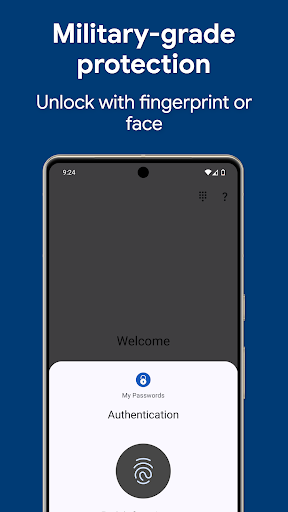
• Biometric unlock – Fingerprint & face authentication
• One-Time Passwords (OTP) – Built-in authenticator for 2FA accounts
• Password history – Track previous passwords
• Self-destruction – Extra security in case of attacks
• Custom fields – Store additional details for each entry
• Clipboard auto-clear – Prevent leaks
• CSV import & export – Seamless migration and backup
• PDF export & print – Save and print your passwords securely
• Image attachments – Store visual credentials
• Wear OS support – Access passwords on your smartwatch
• Theme selection – Personalize your app with various themes
• Unlimited labels & mass actions – Organize your way
Choose Your Pro Plan
Two ways to unlock every Pro feature — pick whichever fits you:
• Lifetime – One-time purchase, yours forever, no recurring charges
• Monthly or yearly subscription – Lower upfront cost, cancel anytime
What are passkeys?
Passkeys are the modern, phishing-resistant alternative to passwords. Instead of a string you can forget or reuse, your account uses a cryptographic key — stored safely in your My Passwords vault. Fully offline, fully under your control, no third-party sync required.
Security You Can Trust
Your data is protected with AES-256 encryption, a widely trusted industry standard. Need a strong password? Generate one instantly with the built-in tool.
Backup & Restore
Easily transfer your data across devices using local storage or apps like Dropbox and Google Drive. Just create a backup and restore it using your master password.
Wear OS Integration
Store selected passwords on your smartwatch for quick access. Just open an entry on your phone and tap the watch icon. View selected OTP codes directly on your smartwatch for quick access.
Important Notes
• My Passwords is an offline password manager. Data is not automatically synced between devices.
• Lost Master Password? Your data cannot be recovered. Please choose and remember your master password carefully.
Tired of password reset emails? Worried your data could leak from a hacked cloud service? My Passwords stores your logins, passkeys, 2FA codes, secure notes, and cards in a highly encrypted vault, accessible only with your master password.
Unlike cloud-based managers, your data never leaves your device, ensuring strong security with no internet access required.
Key Features
• AES-256 encryption – The gold standard for data security
• Offline & private – No internet permission required
• Quick & easy access – Simplify login management
• Backup & restore – Securely transfer data between devices
• Built-in password generator – Create strong passwords instantly
• Auto exit – Locks when the screen turns off
• Multi-window support – Boost productivity
• Unlimited entries – Store all your logins with ease
PRO Features
• Passkeys – Store and use modern phishing-resistant credentials, offline
• Biometric unlock – Fingerprint & face authentication
• One-Time Passwords (OTP) – Built-in authenticator for 2FA accounts
• Password history – Track previous passwords
• Self-destruction – Extra security in case of attacks
• Custom fields – Store additional details for each entry
• Clipboard auto-clear – Prevent leaks
• CSV import & export – Seamless migration and backup
• PDF export & print – Save and print your passwords securely
• Image attachments – Store visual credentials
• Wear OS support – Access passwords on your smartwatch
• Theme selection – Personalize your app with various themes
• Unlimited labels & mass actions – Organize your way
Choose Your Pro Plan
Two ways to unlock every Pro feature — pick whichever fits you:
• Lifetime – One-time purchase, yours forever, no recurring charges
• Monthly or yearly subscription – Lower upfront cost, cancel anytime
What are passkeys?
Passkeys are the modern, phishing-resistant alternative to passwords. Instead of a string you can forget or reuse, your account uses a cryptographic key — stored safely in your My Passwords vault. Fully offline, fully under your control, no third-party sync required.
Security You Can Trust
Your data is protected with AES-256 encryption, a widely trusted industry standard. Need a strong password? Generate one instantly with the built-in tool.
Backup & Restore
Easily transfer your data across devices using local storage or apps like Dropbox and Google Drive. Just create a backup and restore it using your master password.
Wear OS Integration
Store selected passwords on your smartwatch for quick access. Just open an entry on your phone and tap the watch icon. View selected OTP codes directly on your smartwatch for quick access.
Important Notes
• My Passwords is an offline password manager. Data is not automatically synced between devices.
• Lost Master Password? Your data cannot be recovered. Please choose and remember your master password carefully.
Rate the App
Add Comment & Review
User Reviews
Based on 0 reviews
No reviews added yet.
Comments will not be approved to be posted if they are SPAM, abusive, off-topic, use profanity, contain a personal attack, or promote hate of any kind.
More »

Popular Apps

Dawn of Zombies: Survival GameRoyal Ark

Network Data SubIsah

Tank Force: War games of BlitzXDEVS LTD

Grim Soul: Dark Survival RPGBrickworks Games Ltd

Kaspersky: VPN & AntivirusKaspersky ME

WhatsApp MessengerWhatsApp LLC

NordVPN – fast VPN for privacyNord Security

Kaspersky Fast Secure VPNKaspersky ME

Call of Duty Mobile Season 8Activision Publishing, Inc.

Vikings: War of ClansPlarium LLC
More »
Editor's Choice
Grim Soul: Dark Survival RPGBrickworks Games Ltd

Craft of Survival - Gladiators101XP LIMITED

Last Shelter: SurvivalLong Tech Network Limited
Dawn of Zombies: Survival GameRoyal Ark

Merge Survival : WastelandStickyHands Inc.

AoD Vikings: Valhalla GameRoboBot Studio

Viking Clan: RagnarokKano Games
Vikings: War of ClansPlarium LLC

Asphalt 9: LegendsGameloft SE

Modern Tanks: War Tank GamesXDEVS LTD