


Latest Version
Version
Latest
Latest
Update
June 18, 2026
June 18, 2026
Developer
Style-7
Style-7
Categories
Platforms
Android
Android
Downloads
0
0
License
Free
Free
Package Name
com.style_7.analogclock_7mobile
com.style_7.analogclock_7mobile
Report
Report a Problem
Report a Problem
More About Analog Clock-7 Mobile
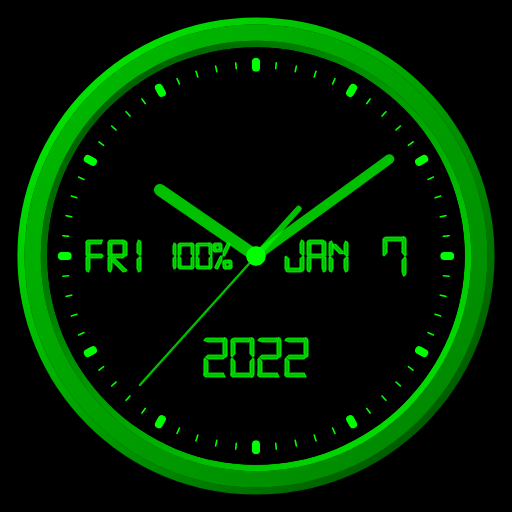
The analog clock also shows the current date, day of the week, month, battery charge. It also shows a digital clock. The clock uses a digital font (except for the widget), but you can also use a regular font.
The clock can tell you the current time by voice by double-tapping (except for the widget) or at a certain interval, for example, every hour.
Use the analog clock as a Live Wallpaper. Set the size and position of the clock on the Home screen.
Use the analog clock as an app widget. Set the size of the clock and its position on the Home screen in the standard way. Starting with Android 12, the second hand is shown. You can also open the Alarm app by tapping.
Use the analog clock on top of all windows on the Home screen. The clock will stay in place when you swipe. You can set the size of the clock and its position on the Home screen.
Use the analog clock in full-screen mode with the display always on.
Use the analog clock as screensaver while a device is charging.
🕒 Use analog clocks as “Night Clock” — a calm mode with economy style (black background and dark‑gray hands) that saves battery.
Random position change every minute protects the screen from burn‑in.
All options work in Fullscreen mode, Live Wallpaper, and Screensaver.
🌙 Use analog clocks as “Always on Screen” — the clock remains visible even when the screen is turned off. ⚠ Important: the function does not start automatically, you need to launch it manually in Fullscreen mode.
“Always on Display” emulation works through additional options: 🔆 brightness control and Auto‑lock on exit.
In the settings, you can choose any color for the clock and also hide any additional information on the dial.
The clock can tell you the current time by voice by double-tapping (except for the widget) or at a certain interval, for example, every hour.
Use the analog clock as a Live Wallpaper. Set the size and position of the clock on the Home screen.
Use the analog clock as an app widget. Set the size of the clock and its position on the Home screen in the standard way. Starting with Android 12, the second hand is shown. You can also open the Alarm app by tapping.
Use the analog clock on top of all windows on the Home screen. The clock will stay in place when you swipe. You can set the size of the clock and its position on the Home screen.
Use the analog clock in full-screen mode with the display always on.
Use the analog clock as screensaver while a device is charging.
🕒 Use analog clocks as “Night Clock” — a calm mode with economy style (black background and dark‑gray hands) that saves battery.
Random position change every minute protects the screen from burn‑in.
All options work in Fullscreen mode, Live Wallpaper, and Screensaver.
🌙 Use analog clocks as “Always on Screen” — the clock remains visible even when the screen is turned off. ⚠ Important: the function does not start automatically, you need to launch it manually in Fullscreen mode.
“Always on Display” emulation works through additional options: 🔆 brightness control and Auto‑lock on exit.
In the settings, you can choose any color for the clock and also hide any additional information on the dial.
Rate the App
Add Comment & Review
User Reviews
Based on 0 reviews
No reviews added yet.
Comments will not be approved to be posted if they are SPAM, abusive, off-topic, use profanity, contain a personal attack, or promote hate of any kind.
More »

Popular Apps

Dawn of Zombies: Survival GameRoyal Ark

Network Data SubIsah

Tank Force: War games of BlitzXDEVS LTD

Grim Soul: Dark Survival RPGBrickworks Games Ltd

Kaspersky: VPN & AntivirusKaspersky ME

WhatsApp MessengerWhatsApp LLC

NordVPN – fast VPN for privacyNord Security

Kaspersky Fast Secure VPNKaspersky ME

Call of Duty Mobile Season 8Activision Publishing, Inc.

Vikings: War of ClansPlarium LLC
More »
Editor's Choice
Grim Soul: Dark Survival RPGBrickworks Games Ltd

Craft of Survival - Gladiators101XP LIMITED

Last Shelter: SurvivalLong Tech Network Limited
Dawn of Zombies: Survival GameRoyal Ark

Merge Survival : WastelandStickyHands Inc.

AoD Vikings: Valhalla GameRoboBot Studio

Viking Clan: RagnarokKano Games
Vikings: War of ClansPlarium LLC

Asphalt 9: LegendsGameloft SE

Modern Tanks: War Tank GamesXDEVS LTD